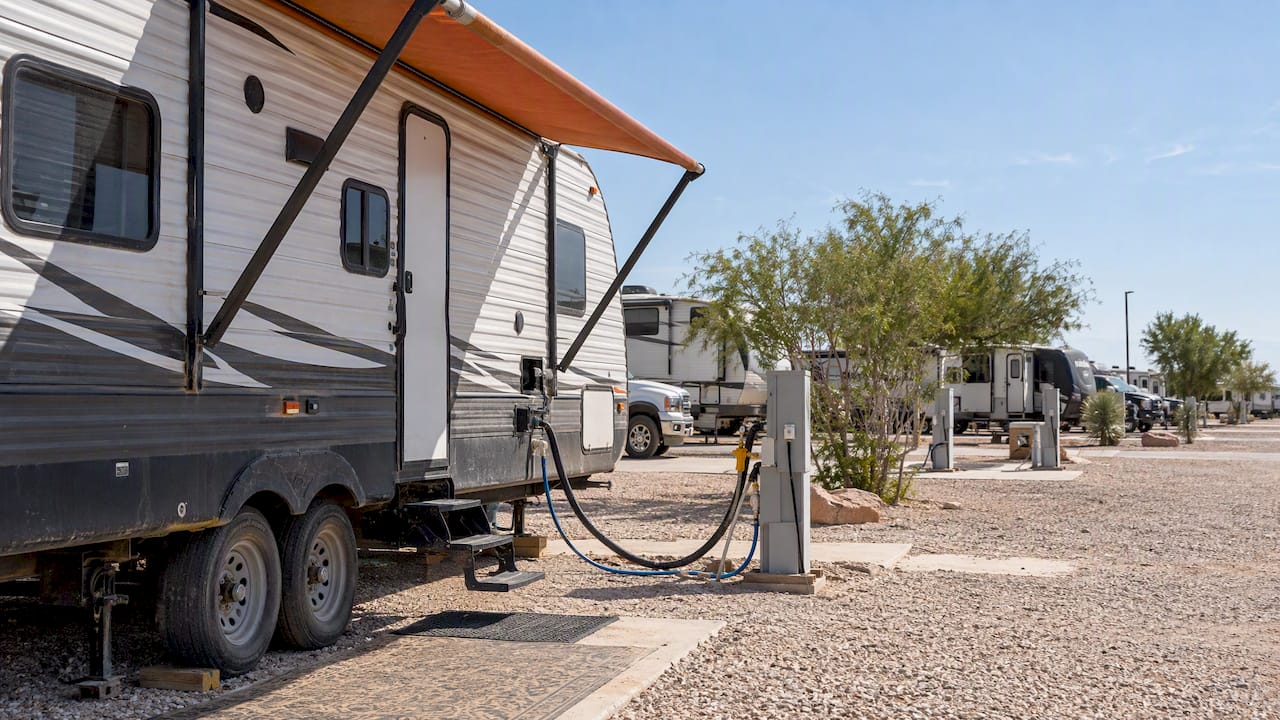
An online tenant portal is a 24/7 self-service account hub where you pay rent, submit maintenance requests with photos, and view your lease documents without calling the office. The immediate payoff is speed: instead of waiting for business hours, you handle routine tasks the moment you think of them, and management sees your request the moment you send it.
TL;DR:
- Using ACH bank transfers instead of credit cards can save tenants approximately 3% in processing fees each month.
- Activating push notifications immediately after setup ensures real-time updates on maintenance and rent due dates, reducing missed alerts.
- Including detailed photos and specific descriptions in maintenance requests can significantly speed up resolution times.
- Setting strong, unique passwords and enabling two-factor authentication enhances portal security for personal and payment information.
- Regularly downloading payment history and screenshots of confirmations provides a vital paper trail to resolve disputes effectively.
Table of Contents
- How Do You Activate and Sign In to a Tenant Portal?
- What Can You Do Inside a Tenant Portal?
- How Do You Manage Payments and Avoid Extra Fees?
- How Do You Submit a Maintenance Request That Gets Fixed Faster?
- What Security Steps Should You Enable in Your Portal?
- What Do You Do When the Portal Won’t Work?
- How Mesquite Oasis Runs Online Self-Service for Long-Term Residents
- Why “Set It and Forget It” Advice Misses the Point
- A Different Kind of Portal for Extended-Stay Living
- Where to Learn More About Portal Features
- Sources
How Do You Activate and Sign In to a Tenant Portal?
Most property managers send an activation link by email or text the week you sign your lease, and that single link is your ticket into everything else. Click it, and you land on a setup screen asking you to create a password and confirm your identity, usually with a unit number or lease ID already filled in. The account creation and app download steps follow roughly the same pattern across most property management software, whether the invite comes from a small local landlord or a national management company.
Here’s the typical activation sequence tenants run into:
- Check your email or texts for an invitation from your property manager, and check spam folders if it hasn’t arrived within a day or two of move-in.
- Click the link and set a password. Use something unique. Do not reuse your email password.
- Confirm your name, unit number, and contact details, since these auto-fill your lease record.
- Set notification preferences. Decide whether you want texts, emails, or app push alerts for rent reminders and maintenance updates.
- Download the official mobile app if one exists, or bookmark the browser login page if it doesn’t.
Once you’re in, spend five minutes on your profile before you do anything else. Add a backup email, a phone number, and turn on autopay reminders even if you don’t set up autopay itself yet. That small setup window is when most tenants either build good habits or set themselves up for a missed payment three months later.
Should you use the app or the browser?
Both work, but they aren’t identical. The mobile app tends to keep you logged in longer, sends push notifications the second a maintenance ticket updates, and works better on spotty WiFi since it caches data locally. A browser version is fine for one-off tasks on a shared or work computer, but it logs you out faster and won’t alert you to anything unless you happen to check it.
If your building offers an official app, download it. If your property only offers browser access, save the login page to your home screen so it behaves like an app shortcut.
Pro Tip: Turn on push notifications the day you activate your account. Portals push maintenance status changes and rent due dates in real time, and that one setting saves you from ever logging in “just to check.”
After activation, run through this quick checklist: confirm your payment method is linked, check that your lease document actually loaded and matches what you signed, and test the maintenance request form once with a low-priority item so you know where it lives before you actually need it.
What Can You Do Inside a Tenant Portal?
A tenant portal is built around four buckets: payments, maintenance, documents, and communication. Some platforms bolt on a few extras. Here’s what each bucket actually covers day to day.
Payments are the feature you’ll touch most. You can make a one-time payment, set up recurring autopay, and pull up receipts going back through your entire tenancy. That payment history matters more than people expect. If a dispute ever comes up over a late fee or a missed month, your portal ledger is your proof.
Maintenance requests go far beyond a text message to the front office. You attach photos, sometimes short videos, describe the problem, and select a priority level. Behind the scenes, most systems route the ticket automatically and monitor it against a service level agreement, meaning overdue requests trigger an internal escalation without you having to follow up. You then track status changes, from “received” to “scheduled” to “completed,” right in the app.
Documents live in one place instead of scattered across email threads and paper folders. You can view and download your signed lease, any move-in or move-out checklists, formal notices from management, and renewal paperwork when your term is up.
Communication and community features round things out. Buildings use portals to post notices about water shutoffs, pest control schedules, or parking lot repaving, and larger complexes let residents reserve amenities like a clubhouse or gym time slot directly through the same login. Some portals even let residents message management directly instead of sending a separate email that gets buried.
A growing number of platforms bundle in extras beyond the basics:
- Renters insurance enrollment or proof-of-coverage uploads
- Utility billing that shows your portion of shared water or trash costs
- Visitor PIN codes for gate access or building entry
- Package tracking notifications when a delivery arrives
- Renewal workflows with e-signing built in, so lease renewals happen without a single printed page
That last point matters more than it sounds. Centralizing renewals and e-signatures inside the same portal you already use for rent cuts down the back-and-forth that used to require an in-person office visit. The trend across the industry is toward one login covering your entire tenancy, from the day you apply to the day you move out.
How Do You Manage Payments and Avoid Extra Fees?
The single biggest money mistake tenants make in a portal is paying by credit card without checking the fee first. Card payments routinely carry a processing fee, and ACH bank transfers are usually the free option.
- ACH bank transfer: pulls directly from your checking account, and most property managers offer it with no fee at all.
- Credit or debit card: convenient, especially in a pinch, but expect a processing charge that’s commonly around 2.95% of your rent amount.
- Debit card as a workaround: some portals treat debit differently from credit, so check your specific platform before assuming the fee is identical.
On a typical rent payment, a card fee of around 2.95% can add an extra charge each month, which adds up significantly over the course of a year. ACH takes an extra day or two to clear, but for a fee difference that size, the wait is worth it.
Setting up autopay is where most people get real value out of a portal. Go into your payment settings, choose ACH if it’s available, and set the withdrawal date a day or two after you typically get paid so funds are actually there. Most platforms let you edit the amount, pause a cycle if you’re between paychecks, or skip a single month if you’ve made other arrangements with your manager. Do this through the portal, in writing, rather than a phone call, so there’s a timestamped record if anything goes wrong.
Your receipts and full payment history sit in the portal under a tab usually labeled “payment history” or “ledger.” Screenshot or download this monthly if your manager doesn’t archive it long term. It’s the fastest way to settle a dispute if a payment gets miscategorized.
If a payment fails or posts late, don’t immediately resubmit it. Check your bank first, since a failed ACH often means insufficient funds or a bank-side hold rather than a portal error. Wait for the failure notice to confirm before trying again, because submitting twice can result in two separate withdrawals landing on the same day. If you’re not sure the first attempt actually failed, check your bank statement before your portal balance, since portals occasionally lag a day behind actual bank activity. When something looks wrong and you can’t resolve it yourself, check your lease’s payment terms for the property’s specific dispute process.
How Do You Submit a Maintenance Request That Gets Fixed Faster?
The tenants who get same-day maintenance responses aren’t lucky. They just write better tickets. A request that says “sink is broken” sits in a queue far longer than one that says “kitchen sink drips constantly from the base of the faucet, water pooling under the cabinet.”
Photos do more work than most tenants realize. Clear, well-lit photos from a couple of angles let a maintenance tech identify the part or tool they need before they even arrive, which often turns a two-visit repair into a one-visit repair. If it’s safe to do so, note in the ticket whether you’ve already shut off a water valve or tried an obvious fix.
Follow this sequence when you file a request:
- Take two or three photos of the problem from different angles, and include a wide shot for context.
- Write a short, specific description. Name the exact fixture or appliance and what it’s doing wrong.
- Select the correct category and priority level. Most portals separate “routine,” “urgent,” and “emergency” (like active flooding or no heat in winter).
- Note your preferred access windows and best contact number so a tech isn’t standing outside your locked door.
- Submit and save the confirmation number or screenshot for your records.
Once submitted, most systems track the request through defined stages with SLA monitoring, and you’ll see status updates as it moves from “received” to “assigned” to “in progress” to “completed.” These updates typically arrive by email, text, or app push, depending on your notification settings. If a ticket sits in “received” well past the timeframe your lease or portal states for that priority level, that’s your cue to follow up. Reference the original ticket number rather than filing a duplicate.
Pro Tip: Include your unit number and a specific access window directly in the ticket text, not just in your profile. Maintenance teams working from a printed or mobile ticket list don’t always cross-reference your account details, and a missing access window is the single most common reason a repair gets delayed a full day.
For anything involving active water leaks, no heat, no working smoke detector, or a lock that won’t secure your door, skip the standard ticket queue. Use the emergency maintenance line or contact number your property provides, since portals typically flag these categories for immediate routing rather than the standard queue.
What Security Steps Should You Enable in Your Portal?
Your tenant portal holds your bank details, your lease, and sometimes your ID. Treat the login with the same seriousness you’d give an online banking account.
- Turn on two-factor authentication (2FA) if your property’s platform offers it. Providers document 2FA setup steps and recommended browsers directly in their help pages, and it takes about two minutes to enable.
- Use a strong, unique password. A password manager handles this without forcing you to memorize a string of random characters.
- Prefer the official mobile app over a browser bookmark when one is available. Apps maintain more reliable login sessions and deliver push notifications, while browser sessions are more prone to random logouts and missed alerts.
- Log out of shared or public computers immediately after a session, and never save your password on a device you don’t own.
If you’re curious what personal data your portal actually stores, or want to know how long records are retained after you move out, ask your property manager directly. Most management companies will provide a written summary of what’s collected and how it’s used, even if it isn’t posted publicly on the portal itself.
What Do You Do When the Portal Won’t Work?
Most portal problems fall into three categories, and each has a fast fix before you need to call anyone.
- Forgot your password or locked out? Use the “forgot password” link on the login screen, which sends a reset email or text. If your account seems disabled entirely, that usually means an admin locked it manually, and only your property manager can re-activate it.
- App or browser acting up? Clear your browser’s cache and cookies, or fully close and reopen the app rather than just minimizing it. Confirm you’re on a currently supported browser, since older versions of Safari or Chrome sometimes break portal features silently. If the app hasn’t been updated in months, check your app store for a pending update.
- Payment not going through? Check your card’s spending limit or your bank account for a temporary hold, both common causes of a silent decline. If a card keeps failing, switch to ACH for that cycle instead of retrying the same card five times.
Before you contact support, gather a screenshot of the exact error message, the time and date it happened, and, for payment issues, the last four digits of the payment method you tried. That handful of details typically cuts a support ticket’s resolution time in half, since the property manager doesn’t have to ask you follow-up questions before diagnosing anything.
How Mesquite Oasis Runs Online Self-Service for Long-Term Residents
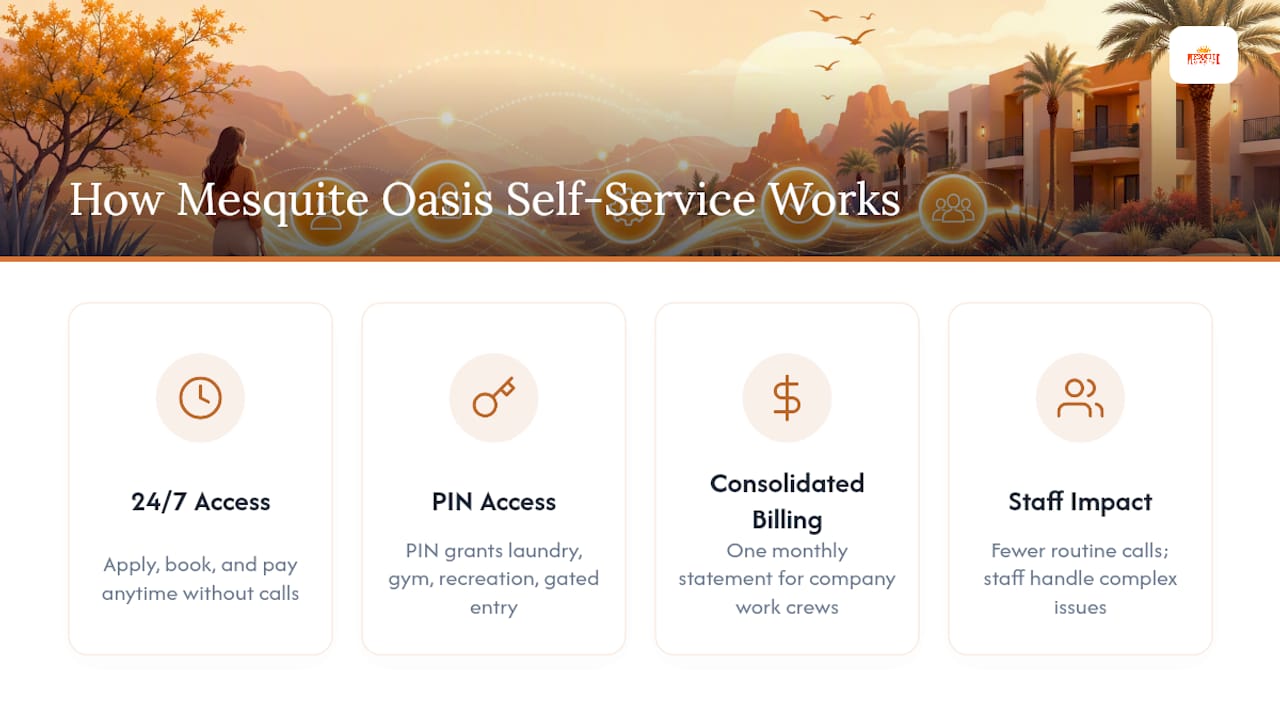
Mesquite Oasis Lodge & RV Park in Odessa, Texas runs on the same logic as a tenant portal, just built for extended-stay housing instead of a traditional apartment lease. Across 241 full-hookup RV sites and 110 furnished lodge rooms, every application, booking, and payment happens online, and the entire process runs around the clock without a single phone call required.
A resident finishing a twelve-hour shift at 2 a.m. shouldn’t have to wait until the office opens at 9 to book a site or pay an invoice. That’s the entire premise behind Mesquite Oasis’s apply-and-pay system: the process works whenever the resident’s schedule allows it, not whenever an office happens to be staffed.
Once a resident is approved, a personal PIN code becomes the access key to everything on-site: laundry facilities, the gym, recreational areas, and gated entry. It’s the same principle behind a tenant portal’s login credentials, just applied to physical spaces instead of a payment dashboard. For companies housing entire work crews, the system consolidates invoicing into one monthly statement rather than dozens of separate transactions, which mirrors how larger property management platforms batch resident billing behind the scenes.
The practical effect on staff is the same one seen across the property management industry: fewer phone calls tied up with routine questions, and more staff time available for the resident standing in front of them with an actual problem that needs a human. Self-service handles the predictable stuff so people can handle the unpredictable stuff.
Why “Set It and Forget It” Advice Misses the Point
Most advice about tenant portals stops at “download the app and turn on autopay,” as if the tool does all the work once it’s installed. It doesn’t. A portal is only as good as the habits you build around it in the first two weeks.
The tenants who get the most out of a portal aren’t the ones who use every feature. They’re the ones who use three or four features consistently: they check their payment history monthly, they write maintenance tickets with real detail instead of a one-line complaint, and they turn on notifications instead of logging in “just to check.” That’s it. The rest is convenience layered on top.
What gets underrated is the paper trail. A portal isn’t just a faster way to pay rent, it’s a permanent record that protects you if a dispute ever comes up over a late fee, a missing payment, or a maintenance delay. Screenshot your confirmations. Download your receipts monthly, not just when you need them. The five minutes that takes will matter far more than which app icon sits on your home screen.
A Different Kind of Portal for Extended-Stay Living
If you’re searching for a tenant portal because you’re weighing long-term housing options for Permian Basin work, Mesquite Oasis offers something adjacent: a full online booking and account system built specifically for extended stays, not a traditional lease.
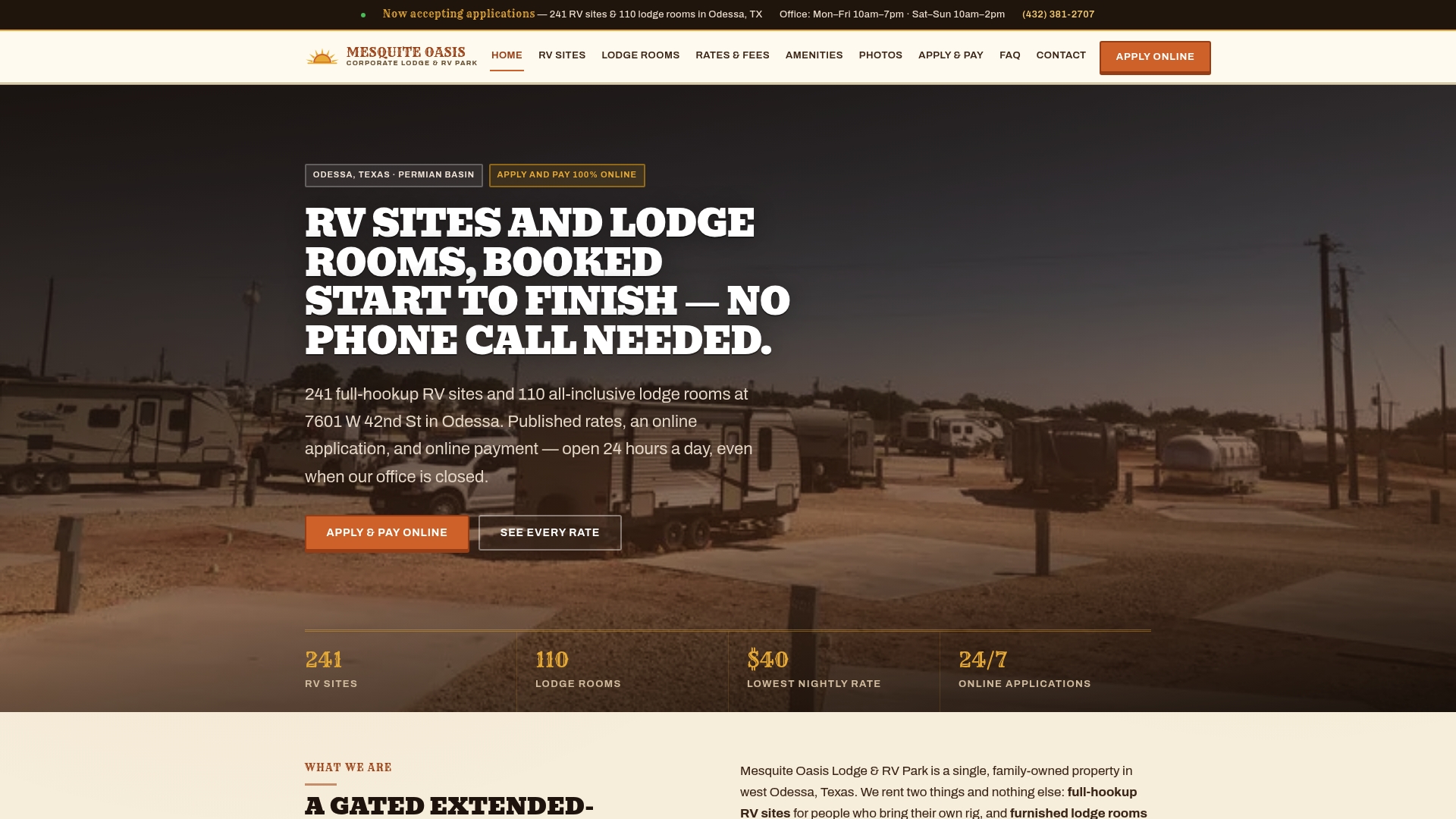
The park’s 241 RV sites and 110 furnished lodge rooms come with the same self-service convenience a tenant portal promises: apply online, get approved, pay your invoice, and manage your entire stay without ever picking up the phone. Utilities, WiFi, and amenity access are bundled in, and your PIN code becomes your key to the gym, laundry, and recreational areas the moment you’re approved. Companies booking housing for entire crews get one consolidated monthly invoice instead of tracking payments person by person. Whether you need a night, a week, or several months, the application and payment process works the same way, any hour you choose to use it. Start your application today and see your rate and availability before your next shift begins.
Where to Learn More About Portal Features
A few provider help pages and industry resources go deeper into platform-specific instructions than any single article can cover:
- AppFolio’s Resident Portal Overview walks through activation steps, 2FA setup, and supported browsers for one of the more common property management platforms.
- Rentec Direct’s tenant portal page breaks down payment options, maintenance ticketing, and document storage from the provider’s own documentation.
- RealPage’s resident experience page covers how larger management companies structure transparency and communication tools.
- If you’re relocating and need to coordinate move logistics around your new portal setup, Orange Movers’ apartment and condo relocation services cover that side of the move.
- Property managers curious about the operator side of resident portals can check Gulf Shores Alabama’s property management guide for a broader look at what running these systems involves.
Sources
- Tenant Portal | Rentec Direct
- Resident Portal Overview | AppFolio Help
- Tenant Management System | CONTEXUS