Yes, you can build a productive remote career from an RV, but only if you treat connectivity, power, and your workspace as separate problems to solve before you hit the road. Test cell signal and satellite line-of-sight at any site you’re considering, size a daily power budget around your actual gear, and confirm with your employer what remote-work rules apply to your role. Skip any of these and a single bad afternoon can cost you a client call or a deadline.
TL;DR:
- Reliable connectivity requires testing signals beforehand and combining cellular, Starlink, and fallback routers to prevent disruptions.
- Power planning involves sizing batteries, inverters, and solar panels to sustain daily work draws, with shore power as a backup for extended cloudy periods.
- Workspace ergonomics improve productivity by raising monitors, using external peripherals, and practicing routine setup and breakdown before travel days.
- Suitable remote jobs are flexible, asynchronous roles like writing, design, and project management that tolerate occasional connection issues.
- Choosing RV parks with predictable infrastructure, self-service booking, and secure access ensures stability for long-term remote work stays.
Table of Contents
- Building a reliable internet stack for working from the road
- How much power your RV needs to run a full workday
- Setting up a workstation that won’t wreck your back
- Which remote jobs actually work well from an RV
- Vetting a campground or RV park before you commit to working there
- Keeping work sustainable when your office is also your bedroom
- What working from an RV actually costs and how to track it
- What a work-friendly park should actually provide
- Why Mesquite Oasis works for a long remote assignment
- Sources
- FAQ
Building a reliable internet stack for working from the road
Campground Wi-Fi should never be your primary connection. It’s usually a shared link split across dozens of RVs, and speeds often fall below what a stable video call needs, especially during peak evening hours when everyone streams at once, according to the Arvee guide on RV remote work. Treat it strictly as a backup.
The real fix is redundancy: more than one way to get online, so when one link drops, another picks up the call. Most people start with a cellular hotspot on one carrier, then add a second link, often Starlink, so a dead zone on one network doesn’t take down your whole workday. The Arvee guide recommends minimum baselines of 25 Mbps down and 3 Mbps up for video calls, rising to 50 to 100 Mbps down and 10 Mbps up if you’re moving large files or editing video.
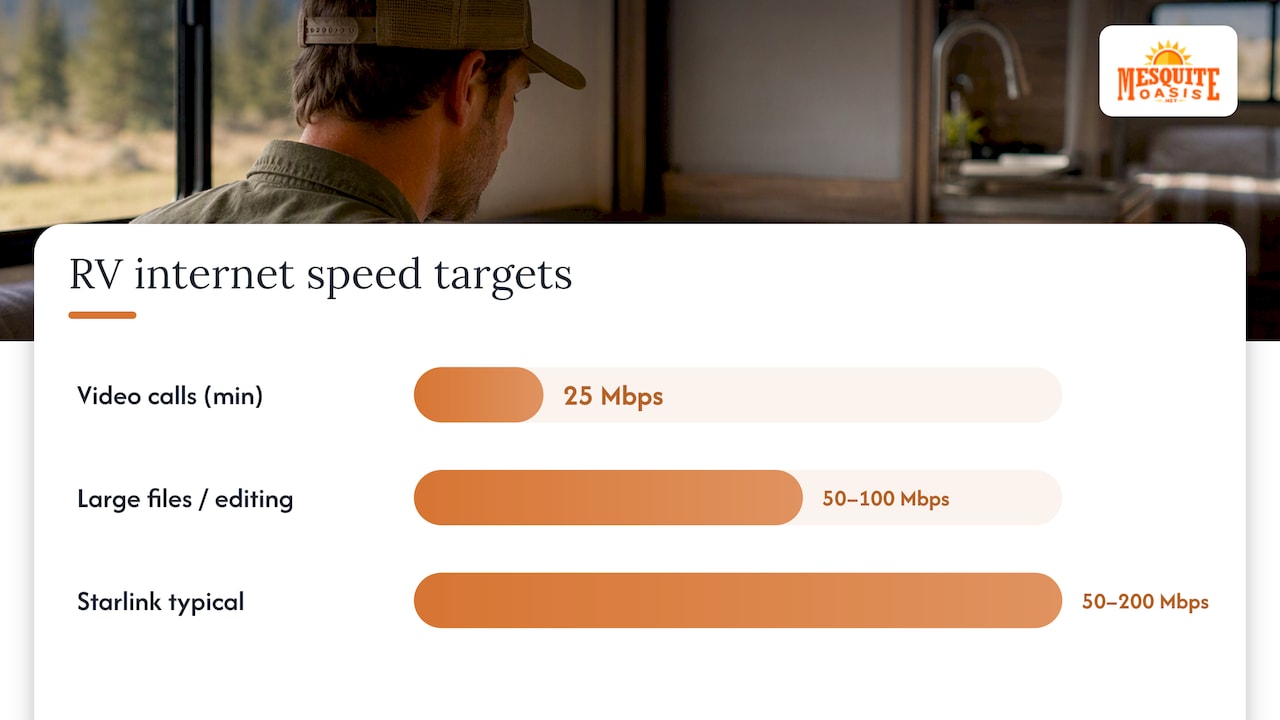
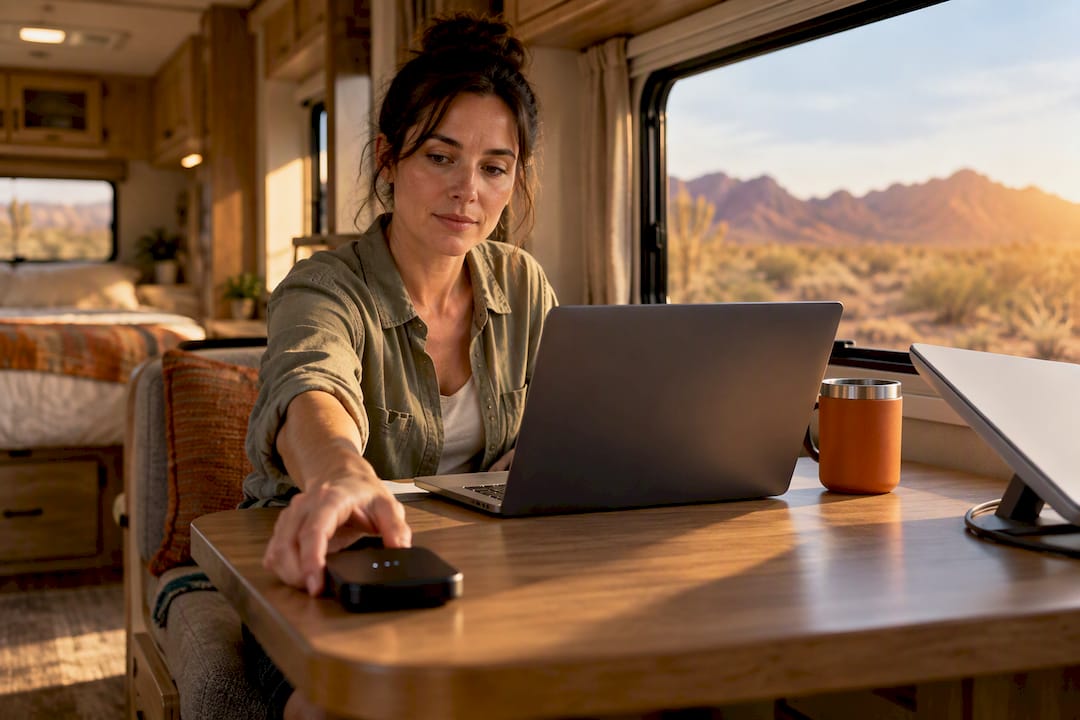
Starlink Mini has become a popular complementary link for this exact reason. It draws only 20 to 40 watts, sets up in minutes, and delivers real-world speeds often in the 50 to 200 Mbps range, though it needs a clear view of the sky and struggles under heavy tree cover, per the Arvee guide. A cellular signal booster like weBoost can pull a marginal one-bar connection into something workable, and an external MIMO antenna helps in fringe coverage areas.
Router choice depends on how much you’re willing to spend:
- Peplink routers support true bonding (SpeedFusion), which keeps a video call alive even as it shifts between two active connections mid-session.
- GL.iNet routers offer automatic failover at a fraction of the cost, switching to a backup link when the primary drops, without the seamless mid-call handoff.
- A basic phone hotspot plus a Starlink Mini, with no router at all, still beats a single point of failure for most freelancers and remote employees.
Before booking anywhere, check coverage with CellMapper for carrier-specific signal maps and Campendium for camper-reported Wi-Fi and cell notes. Plan to arrive a day before any critical workday so you can test everything while you still have time to relocate if it fails.
Pro Tip: Start with a hotspot plus a Starlink Mini and a cheap failover router before you spend money on a bonded Peplink setup. Most remote workers never need the bonding.
How much power your RV needs to run a full workday
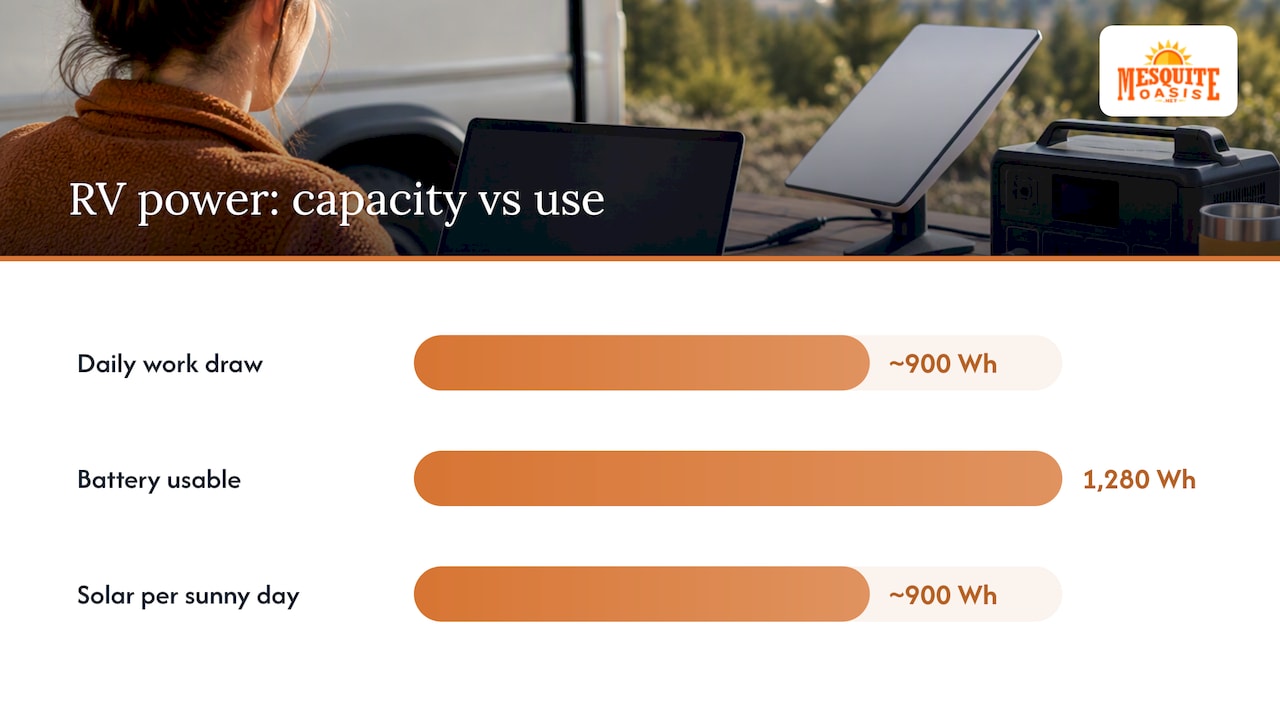
Running a laptop, an external monitor, and a Starlink Mini through a full workday adds up faster than most people expect. A sample daily budget for that combination lands around 800 to 1,000 watt-hours, according to the Arvee guide’s power planning examples, depending on screen size and how much the Starlink dish has to hunt for satellites.
A significant share of RV-owning households now include someone who works remotely, and more than half of those have worked directly from the RV, a scale that has pushed power planning from a hobbyist concern to a practical necessity for over a million households.
To size a system that covers that draw without shore power every night:
- Convert your battery bank to usable watt-hours. A 100 Ah lithium battery at 12.8 volts stores about 1,280 Wh, and lithium chemistries let you use most of that capacity without the damage lead-acid batteries suffer from deep discharge.
- Match your inverter to your peak load. A pure sine wave inverter rated for at least 1,000 watts continuous covers a laptop, monitor, and charging accessories running at once.
- Add solar sized to refill what you used. Two 200-watt panels paired with a good charge controller can replace an 800 to 1,000 Wh workday’s draw on a sunny day, though cloud cover or shaded campsites will slow that recovery.
- Plan shore power as your fallback, not your default, for multi-day stretches of heavy cloud cover or short winter daylight.
Mount everything for travel, not just for use. Screw-in brackets for batteries and inverters, strain relief on cable runs, and a habit of checking connections after rough roads all prevent the kind of vibration damage that shows up as a mysterious power failure two states later.
Setting up a workstation that won’t wreck your back
An RV dinette was built for meals, not eight-hour workdays, and using it as-is for months will catch up with your neck and wrists. The fix doesn’t require a full renovation.
- An external monitor raised to eye level, even a portable USB-C display propped on a stand, keeps you from hunching over a laptop screen all day.
- A separate keyboard and mouse let you position the screen for your eyes and your hands for your desk, instead of compromising on both.
- A Lagun mount or fold-down desk arm turns any flat surface near a captain’s chair into an adjustable standing or sitting desk.
- A cushion or seat riser on your dinette bench or chair gets your hips and knees close to the 90-degree angles a proper office chair provides.
Before every travel day, tech needs to come down fast and survive the road. Keep a simple routine: monitor arms fold flat, loose cables get wrapped and clipped, and laptops go into a padded case rather than a bag on the passenger seat. A five-minute stow routine done consistently beats a cracked screen after one skipped step.
Noise matters as much as posture. A generator running next door or kids playing outside your window can derail a call fast, so noise-canceling headphones earn their keep here. When a site turns out to be too loud or too unreliable, having a backup plan, a nearby coworking space or library, keeps a bad location from becoming a lost day.
Pro Tip: Test your workstation setup for a full day before a big deadline, not the morning of. Small ergonomic problems only become obvious after several hours in the chair.
Which remote jobs actually work well from an RV
Not every remote job travels equally well. The ones that fit RV life best are asynchronous or flexible enough to absorb an unreliable connection now and then: writing, design, development, project management, and most knowledge work that doesn’t require you to be on camera at a fixed hour every day.
Customer support roles can work too, but only if the job allows soft VoIP tools rather than a hard requirement for a landline-quality connection, since even a strong hotspot can introduce brief dropouts a call center platform won’t tolerate.
Match your tasks to your bandwidth reality:
- Heavy bandwidth tasks (video editing, large file uploads, cloud backups) go best overnight or early morning, when you’re not competing with your own video calls for the same connection.
- Moderate bandwidth tasks (video calls, screen sharing) need your best link active and a backup on standby.
- Low bandwidth tasks (email, writing, most project management tools) tolerate almost any connection, including a weak campground Wi-Fi signal in a pinch.
Contract and seasonal gigs pair naturally with the RV lifestyle too, since many travelers supplement primary income with location-based work like camp hosting during slower freelance months. It rarely replaces a full income on its own, but it can offset site fees during a season when client work slows down.
Vetting a campground or RV park before you commit to working there
The gap between a park’s marketing photos and its actual signal strength is where remote workers get burned. Check before you book, not after you arrive.
- Search Campendium and RV LIFE Campgrounds for recent reviews mentioning cell signal and Wi-Fi quality specifically, not just general ratings.
- Cross-reference carrier coverage on CellMapper for the specific site’s coordinates, since signal can vary block to block in rural areas.
- Prioritize full hookups, tree cover that won’t block a Starlink dish, and posted generator or quiet hours that match your work schedule.
- Arrive a day before any critical deadline so you can test every connection and confirm shore power actually delivers what’s promised.
If you need real stability rather than a one-night gamble, monthly rates at extended-stay parks are often worth negotiating, and many parks handle invoicing directly with employers for contractors on longer assignments.
Pro Tip: Call or message a park directly and ask what carrier has the strongest signal on-site. Front desk staff who deal with remote workers daily usually know the answer better than any app.
Keeping work sustainable when your office is also your bedroom
Working and living in the same 300 square feet erodes boundaries fast unless you build rituals that replace the ones a commute used to provide. A short walk before you start the day and a “close the laptop” routine at the end, clearing the desk, syncing files, silencing notifications, does more for your mental health than it sounds like it should.
- Treat travel days as non-work days whenever your schedule allows it; driving and deadlines don’t mix well.
- Schedule a regular coworking or library day even when your own setup works fine, just to break the isolation of working alone in a small space every day.
- Stay connected to other remote workers and RVers through meetups or online communities, since the flexibility that makes this lifestyle appealing can also make it lonely without deliberate effort.
- Set actual offline hours, not just an intention to unplug, or work will quietly expand to fill every evening.
What working from an RV actually costs and how to track it
Budgeting for RV remote work means planning around a handful of recurring costs: site fees (daily, weekly, or monthly), fuel, cellular data plans, equipment replacement over time, and RV insurance that covers full-time occupancy.
- Separate work-related purchases from personal ones from day one, since sorting a year of mixed receipts later is miserable.
- Keep a simple mileage log if you drive for any part of your work, even occasional client visits or supply runs.
- Track business use of your vehicle and equipment consistently rather than reconstructing it at tax time.
The IRS revised its optional standard mileage rates effective July 1, 2026, under Internal Revenue Bulletin 2026-29, which affects how much you can deduct per mile for business driving and how employers calculate mileage reimbursements. Whether the standard mileage method or the actual expense method saves you more depends on your specific vehicle costs and mileage, so this is worth a conversation with a tax professional rather than a guess.
What a work-friendly park should actually provide
The parks that work best for remote employees aren’t the ones with the flashiest amenities list. They’re the ones that remove friction: predictable power, straightforward booking, and security that doesn’t depend on being at the front desk during business hours.
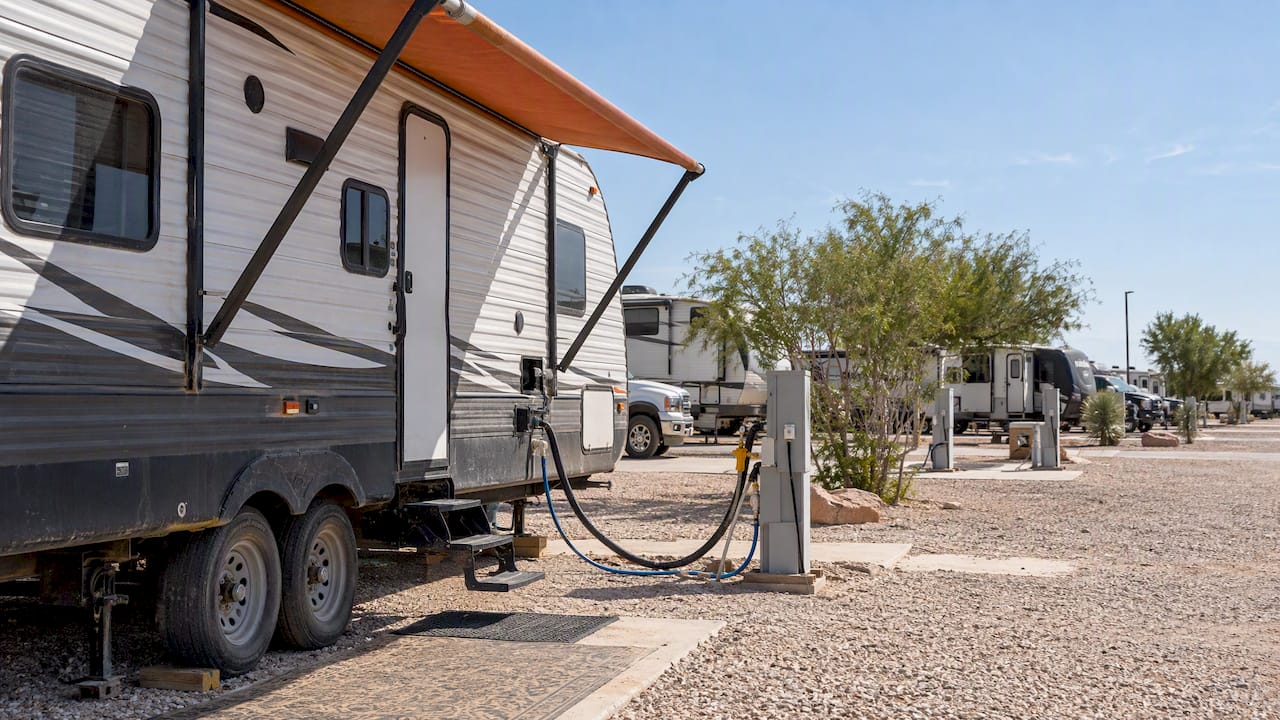
Mesquite Oasis Lodge & RV Park in Odessa, Texas runs 241 full-hookup RV sites and 110 furnished lodge rooms with a booking process handled entirely online, from application through payment, so a long assignment doesn’t hinge on office hours or phone calls. Every amenity, from the gym to the laundry room, is accessed through a personal PIN code, which matters more than it sounds like once you’re living somewhere for months rather than days.
When you’re comparing parks for a long stay, look for that same combination: predictable infrastructure, self-service booking, and secured access.
Why Mesquite Oasis works for a long remote assignment
If you need a dependable base rather than a new site every few nights, that stability is worth paying for. Mesquite Oasis offers 241 full-hookup RV sites and 110 furnished lodge rooms in Odessa, Texas, with a booking system you can manage online at any hour, no calls required, from initial application through monthly payment.
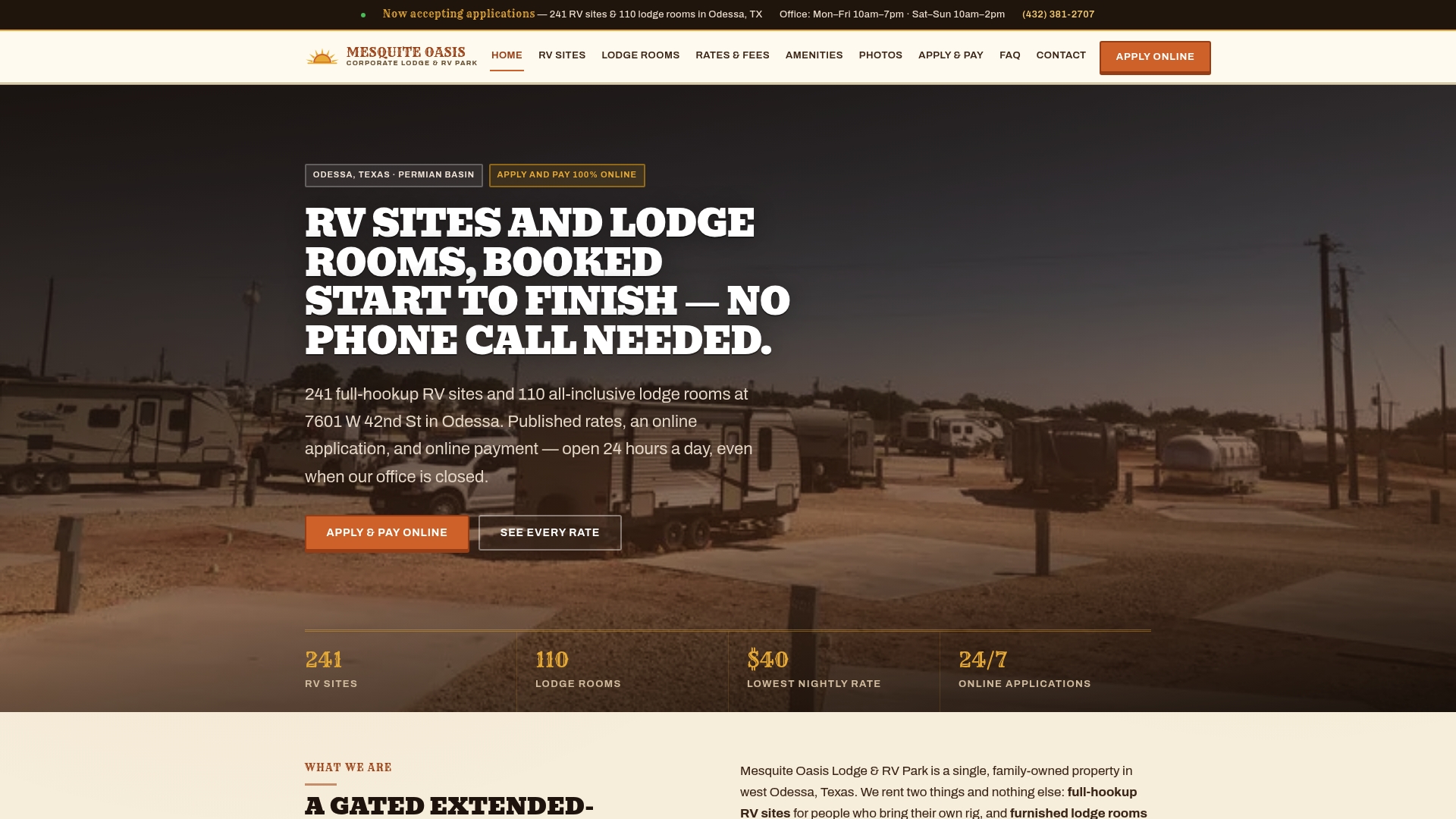
That matters most for contractors on extended assignments and remote employees who need amenities they can count on rather than discover on arrival.
- 50 Amp and 30 Amp RV sites starting at $300 per week or $795 per month for full-hookup power reliable enough for a workday.
- Furnished Single Rooms and Bunk Bedrooms from $400 per week or $1,350 per month for workers who’d rather skip the RV entirely.
- Gym, laundry, and recreational amenities accessed by personal PIN code, with no front-desk dependency.
- Companies booking crews may be able to arrange consolidated invoicing for multiple workers on one assignment.
Long-term travelers managing healthcare across borders should also plan coverage ahead of time; digital nomads splitting time abroad can review options like health insurance for digital nomads in Spain as one example of what that planning looks like.
Ready to see if a site or room fits your schedule? Register online or check current rates and availability directly.
Sources
- How to Work Remotely From Your RV: Internet, Power, and Productivity | Arvee Blog
- Internal Revenue Bulletin: 2026-29 | Internal Revenue Service
FAQ
What are the best remote jobs for RV life?
Asynchronous or flexible roles travel best, including writing, design, development, and project management, since they tolerate occasional connection hiccups better than jobs requiring fixed-hour video calls. Customer support can work too if the employer allows flexible VoIP tools rather than requiring landline-quality reliability.
What is the 3-3-3 rule for RV living?
Definitions vary across the RV community, but a common version emphasizes avoiding burnout on the road by pacing your days with reasonable driving distances, earlier stops, and multi-night stays before moving on. It’s a guideline for avoiding burnout on the road rather than a fixed rule.
How can I make $2,000 a week working from home?
There’s no guaranteed path to a specific weekly income, and any figure depends heavily on your skills, industry, and client base. Remote knowledge work in fields like development, design, or consulting tends to offer the highest earning ceilings, but building to that level usually takes time and a track record.
How can I make money with my RV?
Some travelers offset costs through camp hosting or seasonal, location-based work, though this typically supplements rather than replaces a primary income. Pairing steady remote work with occasional site-based gigs tends to be more realistic than relying on the RV itself as an income source.