Most RV park WiFi is shared, variable, and not built around your work schedule. A handful of fiber-backed parks with managed wireless can push roughly 50 Mbps per device, but many sites drop to a few megabits per second once the park fills up in the evening. The planning rule that matters most: confirm site-level speeds before you book, test them again on arrival during peak hours, and keep a backup connection ready for anything business-critical.
TL;DR:
- Most RV park WiFi is shared and can slow to a few megabits per second during peak evening hours, especially in parks without fiber or managed networks.
- Fiber-backed, managed WiFi can reliably deliver around 50 Mbps per device, supporting video calls, large uploads, and multiple users simultaneously.
- Testing site-specific WiFi during peak hours with multiple speed tests and real work tasks is essential before booking or arriving at a site.
- Backup options like dedicated mobile hotspots or satellite internet are recommended for critical work, with hot spots being simpler but limited by data caps and satellite costing more.
- Confirm WiFi coverage at the specific site beforehand and test upon arrival, switching sites or connections if performance does not meet work needs.
Table of Contents
- Download, upload, and latency: what the numbers actually mean for your work
- Questions to ask before you book a site for work
- Running your own connectivity test on arrival
- Backup options compared: hotspot, dedicated router, or satellite
- What our operational setup means for guests who need reliable connectivity
- Why most WiFi advice misses the point for extended-stay workers
- Check site-level WiFi details before you book with us
- FAQ
- Sources
Download, upload, and latency: what the numbers actually mean for your work
Download speed determines how fast a page, video, or file arrives on your device. Upload speed, which is often overlooked, controls how quickly you can send a file, share your screen, or transmit a video feed, so it matters just as much for remote work as download does. Latency is the delay between an action and a response, and it is what makes video calls feel laggy or choppy even when download numbers look fine.
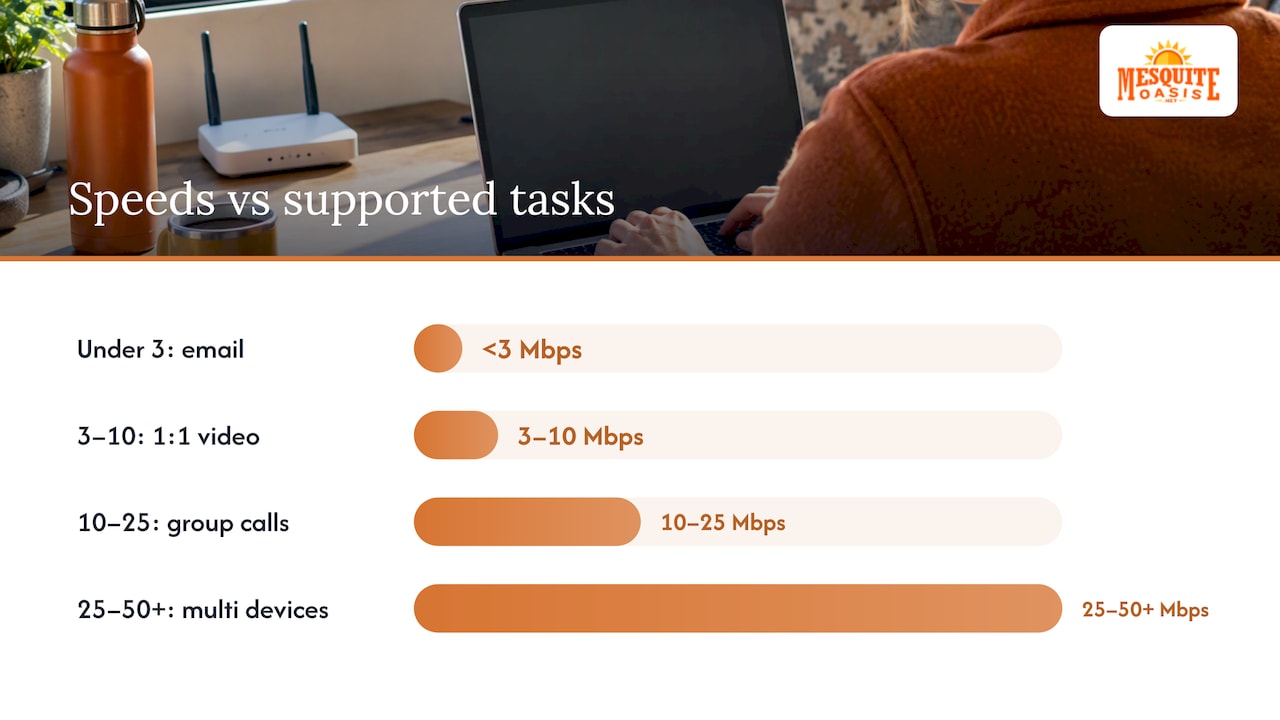
Different speed bands support different tasks:
- Under 3 Mbps: basic email and messaging apps like Slack, but little else.
- 3 to 10 Mbps: one-on-one video calls, as long as nobody else on the connection is streaming.
- 10 to 25 Mbps: group video calls and moderate file uploads.
- 25 to 50+ Mbps: multiple devices streaming or working at once, plus large file transfers.
A park’s advertised headline speed describes the total pipe coming into the property, not what lands on your device. That bandwidth gets split across every connected guest, so a park with a fast backbone can still hand you a slow connection if forty other rigs are streaming at the same time. Fiber-backed systems with managed wireless distribution tend to hold up better under that load because they can manage traffic across users rather than letting a few heavy connections dominate the network, according to research on RV park network design.
Fiber-backed, professionally managed WiFi can deliver consistent speeds around 50 Mbps per device, which is enough for video conferencing and large uploads without the stutter that comes from an overloaded shared network.
Questions to ask before you book a site for work
The right questions before you commit to a stay can save you from a week of frustration once you arrive.
- Does the WiFi signal actually reach your specific site number, not just the office or common areas?
- Is the network backed by fiber, or does it run on managed wireless distribution versus a basic shared router setup?
- Will the park share recent evening speed-test results so you can see real numbers rather than marketing claims?
- Are there paid premium tiers, and if so, what speeds or device counts do they guarantee?
- Can staff point you to a site near an access point with a clear line of sight to your rig?
When you read listings or reviews, treat vague phrases like “great WiFi” as a red flag rather than reassurance. A specific answer, such as a named technology or a screenshot of a recent test, is a far more reliable signal than a star rating. Metal RV bodies, trees, and distance from access points all affect what you actually receive inside your rig, so a site assignment close to infrastructure and with an unobstructed path matters more than the park’s overall reputation.
Pro Tip: Ask for a speed-test screenshot taken between 7 and 10 p.m., since that window usually shows the park’s true peak-hour performance.
Running your own connectivity test on arrival
Don’t take the park’s word for it once you’ve checked in. Test from inside the exact spot where you plan to work, not from the office or a site near the entrance, and run the test more than once.
- Run a speed test for download, upload, and latency, then repeat it during the evening when occupancy peaks.
- Connect your VPN and attempt a real file upload to see how the connection behaves under an actual work task.
- Place a short video call and watch for freezing, dropped audio, or lag rather than relying on the speed number alone.
A useful protocol is three speed tests spaced 15 minutes apart, including one during evening peak hours, followed by a VPN session with a file upload and a brief video call to catch jitter or packet loss that a single speed test won’t show, a method outlined in guidance on testing RV internet. Metal siding, nearby trees, and your distance from the nearest access point can all create a weak spot even within a park that tests well elsewhere. If your results are poor, ask about moving to a different site before assuming the whole park is unusable, and if nothing improves, switch to your backup connection rather than losing a workday to troubleshooting.
Backup options compared: hotspot, dedicated router, or satellite
Treat park WiFi as your primary connection, not your only one, especially for anything with a deadline.
- Phone hotspot: the simplest option since you likely already have the device, but carrier data caps and hotspot throttling can cut your speed sharply mid-task.
- Dedicated mobile hotspot: a separate data plan and device give you more control and don’t compete with your phone’s own usage, which helps in rigs with multiple people working at once.
- Satellite internet: a strong option where cellular coverage is weak, since it doesn’t depend on nearby towers, but it carries higher upfront and monthly costs and needs a clear view of the sky to work well.
The most reliable setup for critical work pairs park WiFi with a cellular failover you can switch to instantly rather than troubleshoot your way into, a point echoed in guidance on building an RV internet backup plan.
Pro Tip: Keep your backup connection tested and charged before you need it, not after your video call drops.
What our operational setup means for guests who need reliable connectivity
We built the booking and stay process at Mesquite Oasis Lodge & RV Park to remove friction for people whose schedules don’t leave room for phone calls or office visits. Every step, from application to payment, happens online and is available 24/7, so you can secure a site or room without waiting on business hours. We offer full-hookup RV sites and furnished lodge rooms built around the needs of workers on extended assignments rather than short tourist stays.
Once you’re on-site, amenities including laundry facilities, a gym, and recreational areas are accessible with a personal PIN code, so access stays predictable and secure. As a family-owned operation, we focus specifically on people who need dependable, long-term lodging rather than a one-night stay, and that focus shapes the kind of operational reliability that matters when your schedule and your connection both need to hold up.
Why most WiFi advice misses the point for extended-stay workers
The conventional advice to “ask if a park has WiFi” is close to useless. Almost every park answers yes, and that single word tells you nothing about what speed reaches your site or whether it survives a Tuesday evening with forty rigs streaming. The real signal is specific: fiber backhaul versus a shared router, a site number versus a general claim, an actual speed test versus a star rating.
The most overrated piece of guidance is picking a park based on WiFi marketing language alone. The most underrated step is the one most people skip: testing from inside your own rig during peak hours before you commit to staying longer than a night. A five-minute test tells you more than any review ever will.
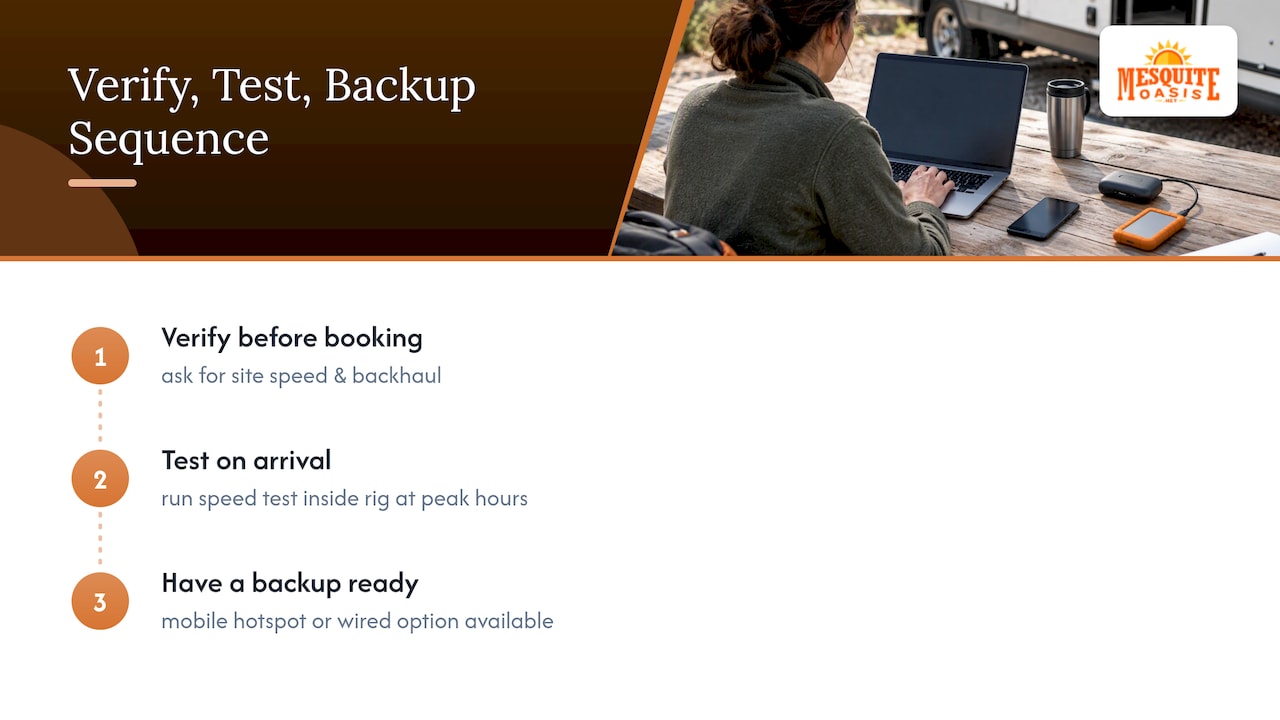
If you take away one priority from all of this, it’s sequencing: verify before you book, test again on arrival, and have a backup ready before you need it rather than after a call drops. Connectivity on the road is rarely all good or all bad. It’s inconsistent, and planning for that inconsistency is what actually protects your workday.
Check site-level WiFi details before you book with us
We make it simple to confirm what you’re getting before you commit to a stay. Browse available RV sites in Odessa or furnished lodge rooms, and reach out through our online application to ask about WiFi coverage for a specific site number before you reserve it.
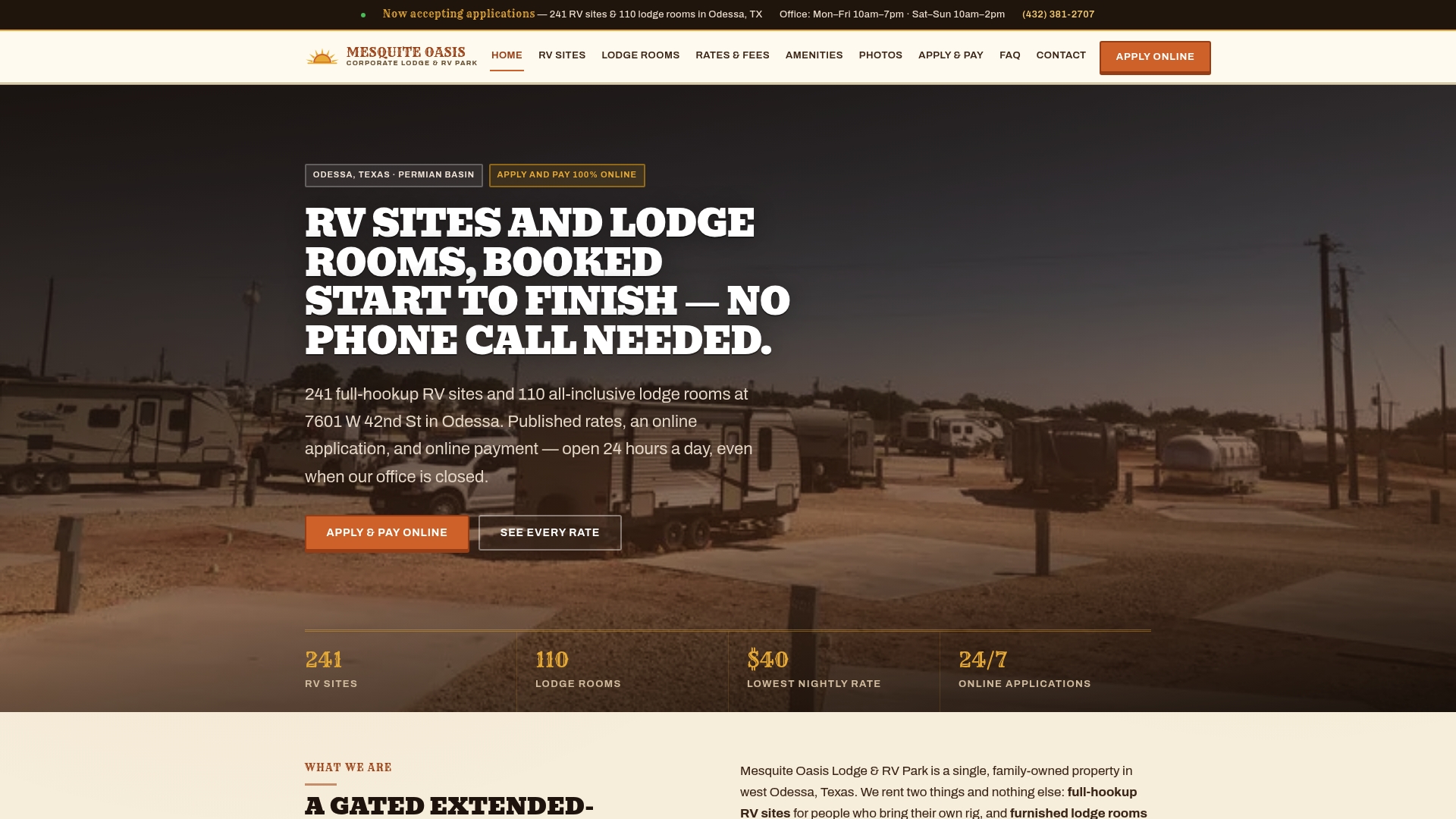
Once you arrive, run your own test during the evening and let us know if your assigned spot isn’t performing the way you need. We can help you find a different site rather than leaving you to troubleshoot alone.
- Check current availability and types of sites before booking.
- Apply and pay entirely online.
- Ask about site-specific WiFi coverage as part of your application.
| Option | Best for | Where to start |
|---|---|---|
| 50 Amp Site | Full hookups for larger rigs | RV Sites |
| — | Extended stays on a budget | RV Sites |
| Single Room | Guests who prefer indoor lodging | Lodge Rooms |
Apply and reserve your site through our online application whenever it fits your schedule, day or night.
FAQ
What internet speed do I actually need for remote work at an RV park?
For steady one-on-one video calls you generally need 3 to 10 Mbps, while group calls and larger uploads call for 10 to 25 Mbps or more. Fiber-backed parks with managed wireless can reach around 50 Mbps per device, which comfortably covers multiple devices and heavier tasks.
Why does RV park WiFi slow down in the evening?
Evening slowdowns happen because bandwidth is shared across every connected guest, and occupancy peaks when people return from work and start streaming or video calling at once. Testing during these busy hours, rather than midday, gives you a realistic picture of what you’ll actually get, according to testing guidance for RV travelers.
Do RV parks offer upgraded or paid WiFi for remote workers?
Many parks run a two-tier model with free basic access for browsing and a paid premium tier for streaming or remote work, a split that appears across a notable share of properties according to industry research on RV park WiFi. It’s worth asking directly what speeds or device limits the premium tier guarantees before assuming it will solve a connectivity problem.
What should I bring as a backup in case park WiFi isn’t reliable?
A phone hotspot is the easiest backup but can be limited by carrier data caps, while a dedicated mobile hotspot gives you a separate plan and more control for multiple devices. Satellite internet is a stronger option where cellular coverage is weak, though it comes with higher upfront and monthly costs.
Does Mesquite Oasis provide site-level WiFi information before booking?
We manage the entire booking process online, so you can ask about WiFi coverage for a specific site as part of your application before you commit. Our full-hookup RV sites and lodge rooms are set up for extended stays, and we’re glad to help you find a site that fits your connectivity needs.
Sources
- How Internet Impacts Length of Stay - AccessParks
- RV Park WiFi: Fix Your Most-Complained-About Amenity